Lume Pips: Restoring the Zero Marker
Author: Funny Items
Release time: 2026-08-25 23:14:09
View number: 17
The Tiny Light in Your Bezel
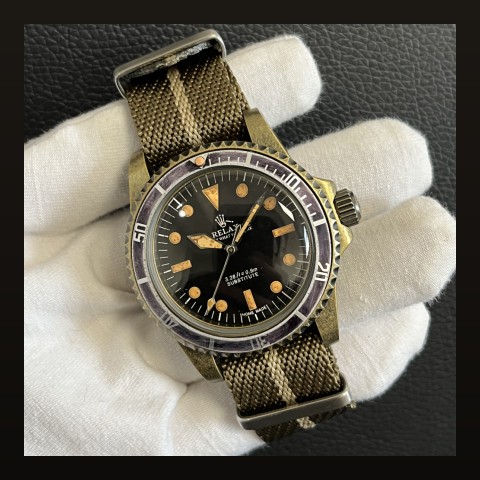
Many dive bezels carry a lume pip — a small luminous dot at the zero marker. When it dies or falls out, replacement is straightforward.
Pip Options
| Type | Look |
|---|---|
| Round lume pearl | Classic dot — most common replacement |
| Triangle insert with lume fill | Vintage military character |
| None (printed marker) | Clean minimal look |
Replacement Process
- Remove the insert per our insert swap guide
- The pip sits in a drilled hole — old pip pushes out from behind, or twists free if glued
- Clean the hole; test-fit new pip depth
- Fix with tiny amount of clear epoxy or UV glue from behind
- Cure fully before reassembling bezel
Sizing Notes
- Pips commonly run 1.5–2mm diameter
- Hole depth varies — measure before ordering; too-long pips protrude and catch
Lume compound choice applies to pips too — see our C3 vs BGW9 guide. Match your dial's lume color.
Frequently Asked Questions
My pip fell out inside the bezel — retrieve it?
Usually yes once the insert is off — it rattles around the channel. Fish it with tweezers before installing the new one.
Does pip presence affect value?
A missing pip on a dive-style build reads incomplete — cheap fix, visible payoff.