Insert Alignment: The Zero-Marker Test
Author: Funny Items
Release time: 2026-08-25 22:05:43
View number: 13
Nailing Insert Alignment
A crooked bezel insert's zero marker ruins an otherwise perfect build. Here is how to get alignment dead-on.
Why Inserts Misalign
- Adhesive grabbed before final rotation
- Insert seated unevenly in its channel
- Bezel reinstalled rotated relative to case
The Alignment Sequence
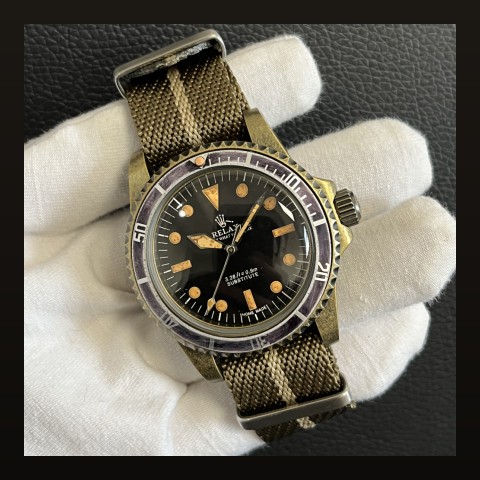
- Dry-fit everything first: insert in bezel, bezel on case — check the zero aligns with the dial's 12 marker before any adhesive
- Adhesive sparingly: thin ring of adhesive; excess causes sliding during positioning
- Align against the crystal: sight from directly above — the insert's triangle should point at the crystal's 12 o'clock position, not just "look close"
- Check at 90° too: rotate your view — inserts can look aligned from one angle and tilted from another if seated unevenly
Fixing After the Fact
- Aluminum inserts: gentle heat (hairdryer) softens adhesive for repositioning
- Ceramic inserts: no repositioning once cured — lift carefully with a blade and fresh adhesive
Full swap procedure in our insert replacement guide; sizing rules in the sizing guide.
Frequently Asked Questions
My bezel rotates but insert stays put — normal?
Yes — the insert adheres to the bezel frame; they rotate together. If the insert spins independently inside the frame, adhesive has failed.